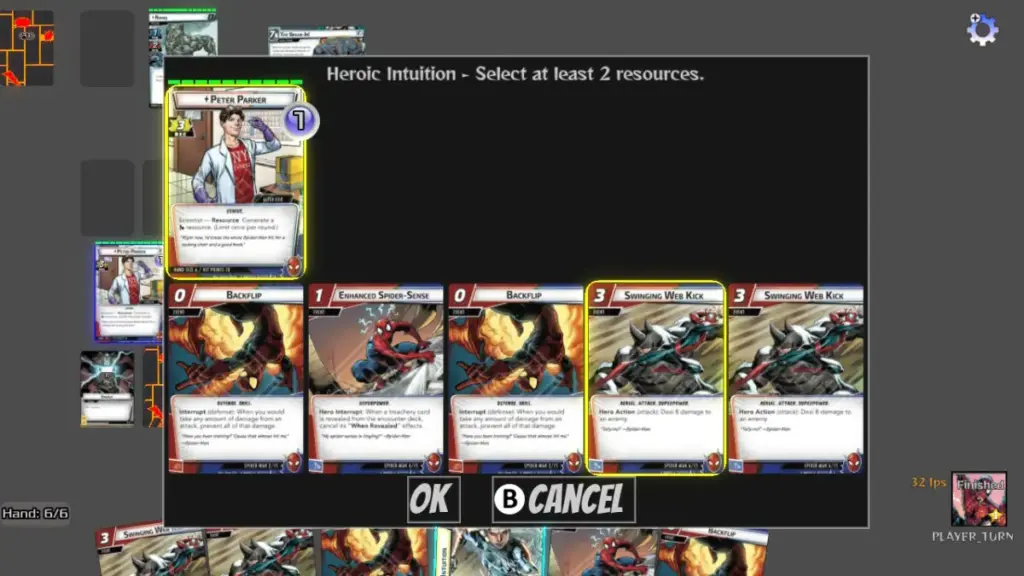
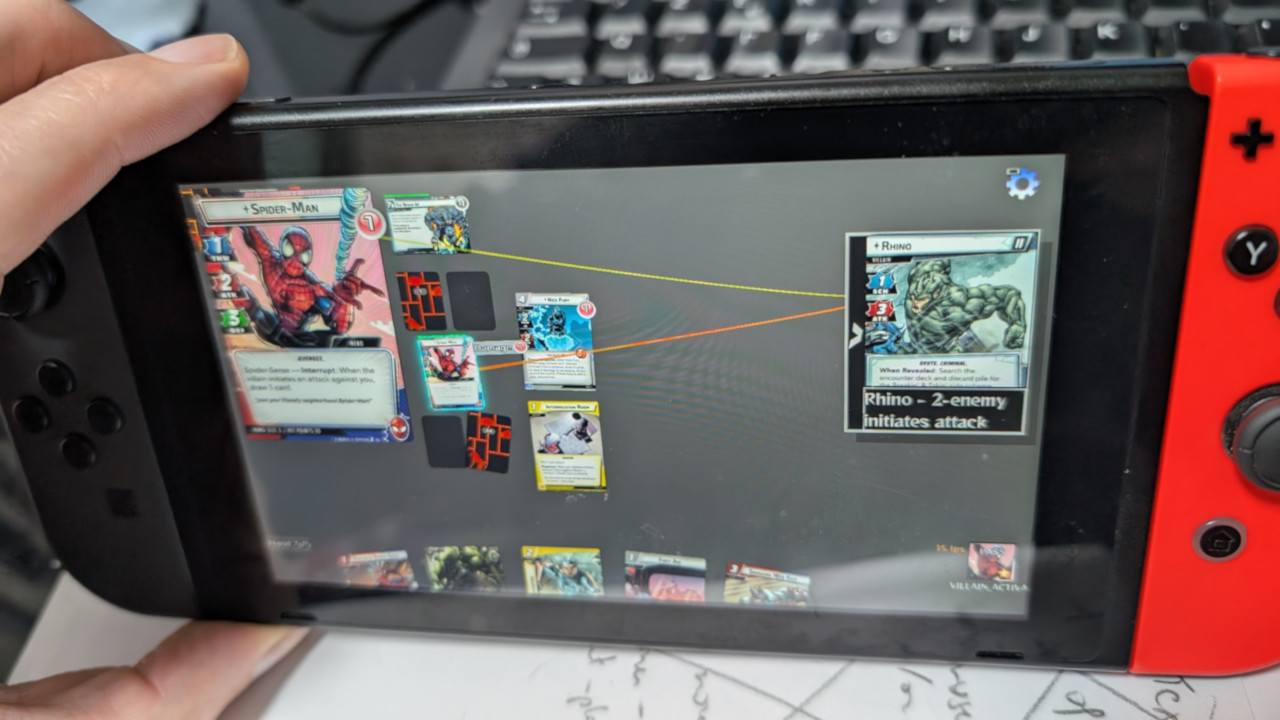
Porting a 2D indie title from a high-powered personal computer to constrained console hardware is rarely a plug-and-play affair. When independent developer and creator of Warnel Chawpiovs set out to bring their Godot-engine-based homebrew card game to the Nintendo Switch, the initial results were sobering. Running smoothly at native speeds on a PC, the game suffered a near-fatal performance collapse upon compilation for the Switch via the community-driven Godot 3.5 homebrew port. Frame rates plummeted to a stuttering 10 frames per second (FPS), dipping as low as a single digit during complex computational cycles, while core battle mechanics introduced catastrophic 10-second initialization freezes.
Faced with hardware limitations that could easily prompt developers to abandon mobile deployments, the project instead became a masterclass in pragmatic game optimization. By systematically identifying structural bottlenecks, adjusting architectural oversights, and leveraging engine-level tweaks, the developer elevated the experience to a stable, playable 20–25 FPS.
While the case study utilizes Godot 3.x and targets Nintendo Switch homebrew environments, the strategies deployed offer vital lessons for any developer seeking to scale 2D titles across underpowered, portable, or constrained hardware architectures.
Detailed Chronology: From PC to Portable Peril
The journey of Warnel Chawpiovs began with a traditional PC-first development lifecycle. Capitalizing on the rapid prototyping capabilities of the Godot engine and building upon established card game framework templates, the creator quickly pushed the project into a satisfying, playable state. Confident in the engine’s inherent flexibility and the lightweight nature of 2D card mechanics, the next logical frontier was console deployment.
Utilizing the specialized Homebrodot Godot 3.5 port designed for homebrew-enabled Nintendo Switch consoles, the initial export was generated. The results defied early expectations. Out of the box, the codebase compiled seamlessly, mapping touch-screen inputs directly to emulated mouse clicks. Visually, the game loaded. Functionally, however, it was an unmitigated performance disaster.
The game struggled through basic rendering sequences at 10 FPS, dropping drastically during calculation-heavy frames. Initiating a match triggered a protracted freeze that gave the distinct impression the hardware had entirely crashed.
Rather than conceding that the Switch was simply too weak to handle a modest 2D card game, the developer engaged in a rigorous debugging and optimization phase. The core thesis remained steadfast: a 2D title featuring sparse on-screen assets should easily maintain 30 FPS or higher on hardware as capable as the Nintendo Switch. What followed was a deliberate dismantling of inefficient code practices, yielding a dramatic leap in performance without requiring a wholesale rewrite of the underlying gameplay loops.
Supporting Context & Metrics: The Anatomy of Optimization
Achieving playable performance on constrained console hardware required isolating specific resource hogs. The developer categorized these interventions into actionable techniques, moving from broad system alterations down to granular code-level refinements.
1. Resolution Scaling: The High-Impact Quick Win
The single most transformative adjustment involved lowering the project’s base rendering resolution. Initially architected for a crisp 1920×1080 PC display, the game defaulted to Full HD output on the Nintendo Switch. Because the console natively supports 1080p output in docked mode, it attempted to render the high-resolution assets without complaint—and without the necessary graphical overhead.
By cross-referencing performance against lightweight framework demo projects running smoothly at 720p, the bottleneck became clear. Despite the GUI hurdles involved in refactoring a layout to gracefully support dual resolutions, scaling the project down to 720p yielded an immediate, staggering performance gain of 7 to 10 FPS.
2. Strategic Caching vs. Redundant Computation
Profiling revealed severe inefficiencies in how data and graphical nodes were handled dynamically. Two primary caching strategies reversed these trends:
String Evaluation Caching: The game frequently processed and modified text data drawn from card script dictionaries to calculate costs and target valid plays. Executing these string manipulations thousands of times per frame suffocated the CPU. Implementing a basic wrapper function with a persistent cache achieved a 95% hit rate, eliminating redundant computations for the duration of a match.
Object Duplication Mitigation: Dynamic card generation for menus and discard piles routinely spawned fresh copies of complex node hierarchies. By assigning a single, persistent duplicate reference to each base card object and recycling it on demand, the engine sidestepped continuous instantiation penalties.
3. Scene Tree Hygiene: Removing Inactive Nodes
Godot’s node-based architecture encourages rapid composition, but it masks the heavy performance cost of maintaining inactive components within the active scene tree. Each card comprised hundreds of individual graphical sub-nodes handling borders, icons, text labels, and stats.
Many of these child elements remained invisible or entirely unused during standard play states (such as cards sitting face-down in a deck). Yet, leaving them attached forced the engine to process background updates endlessly. The developer established a strict rule of thumb: if a node is not slated for rendering or utility in the current frame, it must be removed from the scene tree, retained instead as a lightweight variable reference until needed.
4. Untangling the _process() Loop
Relying on the per-frame _process() function for reactive layout corrections or constant property updates is a common trap for novice and intermediate developers alike. While convenient, it places a continuous tax on performance.
The developer mitigated this by shifting core state updates away from continuous loops and toward event-driven signals. Furthermore, for non-critical visual elements, a custom framerate-throttling check was introduced. If the console’s real-time FPS dipped below a designated threshold, expensive graphical updates—such as refreshing enemy health pools or non-essential GUI stats—were deliberately skipped for a targeted number of frames, prioritizing core game data integrity over superficial rendering cadence.
5. Asset Compression and Textures
While texture optimization via Video RAM (VRAM) compression and specialized image formats drastically reduced the game’s total footprint on disk—shrinking a 250-card asset library from 50MB of raw PNGs down to a lean 5MB—it yielded negligible improvements to actual runtime frame rates. This underscored a crucial diagnostic realization: Warnel Chawpiovs was fundamentally bottlenecked by CPU calculations and script overhead, rather than GPU fill-rates or memory bandwidth.
Official Developer Insights & Methodology
Reflecting on the optimization process, the developer offered candid admissions regarding common developer pitfalls and the utility of engine diagnostics:
"It would be easy to just give up at this point and say ‘well it works fine on my PC, the Switch is just too underpowered.’ The reality however, is that a 2D game like mine, with so few elements on screen at a given time, should have zero issues running at 30FPS or more on a console such as the Nintendo Switch."
Addressing the reliance on engine tools, the developer noted a surprising disconnect when utilizing built-in diagnostics for console homebrew environments:
"Using the profiler in Godot is actually the first piece of advice that everyone hears… However, I found that what was slow on my PC was not necessarily what was slow on the Nintendo Switch. For example, the profiler would probably never have given me the idea to lower my game’s resolution."
To compensate for hardware constraints where raw performance could not be completely salvaged, the developer embraced user experience (UX) mitigation. By redesigning gamepad navigation to automatically lock onto valid targets—thereby eliminating 3 to 5 redundant button presses per attack action—the overall fluidity of the game improved dramatically, masking underlying performance dips through streamlined controls.
Future Outlook
The optimization of Warnel Chawpiovs for Nintendo Switch homebrew illustrates a vital reality of modern independent game development: hardware parity cannot be assumed, but targeted architectural discipline can bridge the gap. Moving from an unplayable 10 FPS stutter to a stable, responsive 20–25 FPS experience required no expensive commercial middleware or engine-level source code modifications—only disciplined profiling, asset scaling, and intelligent memory management.
As the developer continues to refine the project—available now via its public GitHub repository—the framework established during this homebrew experiment serves as a robust blueprint. Whether applied to Godot 3.x, transitioning workflows to Godot 4.x, or porting to other resource-constrained mobile and portable devices, these low-level optimization strategies demonstrate that careful engineering can successfully harmonize ambitious indie concepts with modest hardware footprints.