The Renaissance of PlayStation 2 Emulation: An Investigative Look at LRPS2 and the Vulkan Compute Revolution in RetroArch
Executive Overview
The landscape of video game preservation and emulation has reached a watershed moment. For decades, the PlayStation 2 stood as one of the most commercially successful yet notoriously difficult consoles to emulate accurately. Its idiosyncratic "Emotion Engine" CPU and complex Graphics Synthesizer (GS) presented architectural nightmares for software engineers. While standalone applications like PCSX2 eventually cracked the code to deliver robust, high-performance compatibility, integrating that level of hardware emulation into unified, cross-platform APIs like Libretro has historically been fraught with performance bottlenecks, outdated codebases, and severe rendering compromises.
That paradigm has officially shifted. The Libretro development team has announced the release of LRPS2, a heavily modified, modernized, and tailor-made iteration of PCSX2 built from the ground up to interface seamlessly with the Libretro API. Available now for Windows, macOS, and Linux, LRPS2 completely replaces the aging legacy PlayStation 2 cores that plagued users with bugs, instability, and poor maintenance cycles.
More revolutionary than the core itself is the integration of paraLLEl-GS, a cutting-edge, compute-shader-driven renderer engineered by Themaister. Written exclusively for the Vulkan graphics API, paraLLEl-GS mimics the historical approach of the legendary paraLLEl-RDP project for the Nintendo 64. By reimagining the PS2’s Graphics Synthesizer entirely within a Vulkan compute program, this renderer aims for software-level pixel accuracy while unlocking unprecedented modern graphical enhancements—most notably 16x Supersample Anti-Aliasing (SSAA) and high-resolution scanout—without requiring the convoluted, game-specific hardware hacks that have long defined modern emulation.
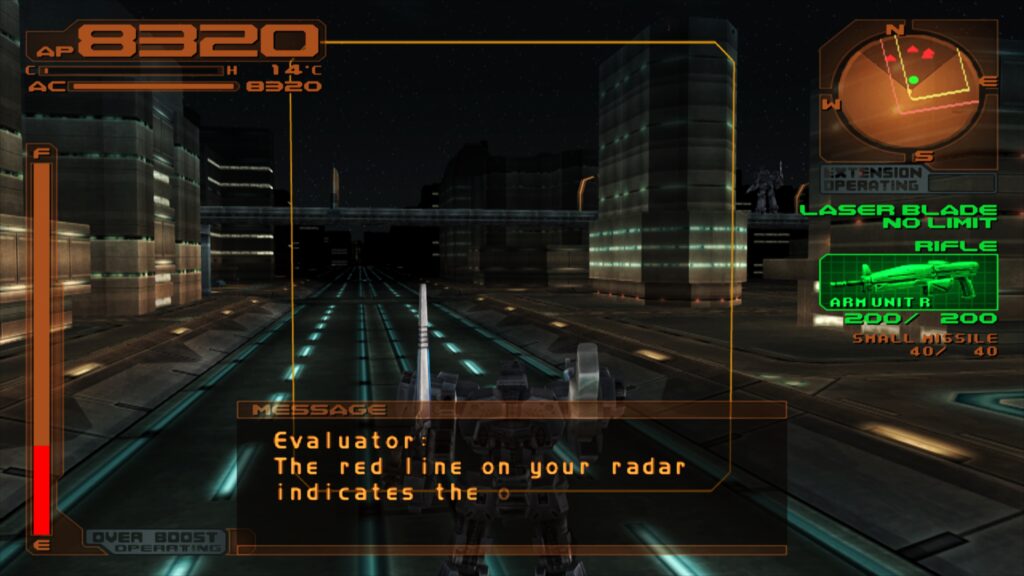
This report provides an exhaustive deep dive into the architecture of LRPS2, setup procedures across supported operating systems, a breakdown of core rendering options, troubleshooting methodologies, and an analysis of how this release redefines the boundaries of modern retro-gaming technology.
Detailed Chronology and Technical Evolution
To understand the magnitude of the LRPS2 release, one must trace the trajectory of PlayStation 2 emulation within the Libretro ecosystem. Earlier attempts to bring PCSX2-derived functionality into RetroArch were hampered by legacy codebases that failed to scale with modern operating systems and graphics APIs. As upstream PCSX2 evolved into a modern, highly optimized multi-threaded powerhouse (PCSX2 Qt), the gap between standalone performance and Libretro core parity widened significantly.
The development of LRPS2 bridges that chasm. Rather than relying on patch-worked compatibility layers, the Libretro team forged a bespoke architectural fork designed explicitly to target modern graphics pipelines. This new core cuts away the technical debt of its predecessors, offering native support for a wide array of rendering backends across the GSdx renderer:
- Vulkan: Fully supported across Windows, macOS, and Linux.
- Direct3D 11 & 12: Available natively on Windows platforms.
- OpenGL: Maintained for legacy compatibility on Windows and Linux systems.
The crown jewel of this technical evolution is the inclusion of paraLLEl-GS. Conceived by developer Themaister in mid-2024 as the "final frontier of Vulkan compute emulation," paraLLEl-GS shifts the computational burden of the PlayStation 2’s Graphics Synthesizer away from traditional rasterization pipelines and directly into parallel compute shaders.
Unlike conventional hardware renderers that attempt to guess how a game intended to draw polygons and handle frame buffers, compute-based rendering executes the raw low-level instructions of the original hardware architecture in a heavily parallelized environment. The result is an astonishingly faithful reproduction of visual artifacts, blending modes, and fill-rate constraints, paired with the mathematical headroom to push visual fidelity far beyond what original hardware—or even standard high-resolution upscaling—could ever achieve.
Supporting Context, Setup, and System Requirements
Deploying LRPS2 within RetroArch requires a methodical approach. Because the core relies heavily on contemporary system files, database indexing, and specific operating system parameters, users must follow precise configuration protocols to ensure stability.
Platform Availability
As of its initial launch, LRPS2 is officially supported on:
- Windows (x86_64)
- Linux (x86_64)
- macOS (Intel and Apple Silicon via compatibility layers)
Note: LRPS2 is not currently available for Android, iOS, or ARM-based Linux distributions due to hardware instruction set limitations and the heavy computational demands of the underlying emulation logic.
Step-by-Step Installation Guide
- Update Core Info Files: Open RetroArch, navigate to the Online Updater, and select Update Core Info Files. This ensures the interface correctly identifies the core and its available features.
- Download the Core: In the Online Updater, open the Core Downloader, scroll to the Sony – PlayStation 2 (LRPS2) entry, and download the binary.
- Retrieve System Files: Go to the Online Updater and select Core System Files Downloader. Locate and download the
LRPS2.zipbundle. This action automatically generates apcsx2directory inside RetroArch’ssystemfolder.- The bundle populates the directory with
GameIndex.yaml, a critical database file containing per-game compatibility hacks and renderer settings. - It also creates a
biossubfolder. Users must manually supply and place legitimate PlayStation 2 BIOS ROM files into this directory.
- The bundle populates the directory with
- Content Loading: Games can be loaded via uncompressed formats or modern container formats such as CHD. Compressed archive formats like
*.7z,*.rar, and*.zipare not supported and must be extracted prior to loading.
Special Configuration for macOS (Apple Silicon)
Running LRPS2 on modern Apple Silicon Macs requires bridging architectural differences through Apple’s translation environment.
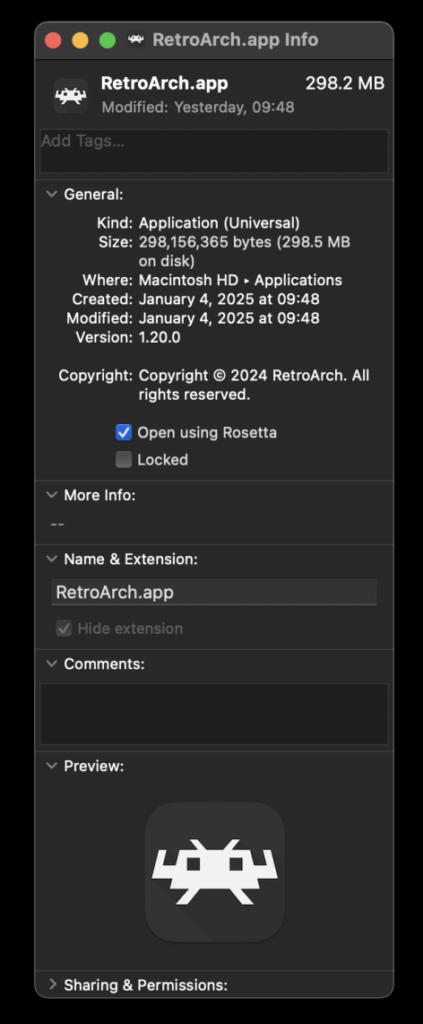
- Exit RetroArch completely.
- Locate the RetroArch application in Finder, right-click, and select Get Info.
- Check the box labeled "Open using Rosetta".
- Relaunch RetroArch; the LRPS2 core will now successfully populate within the Core Downloader and initialize under macOS.
Core Options, Renderers, and Performance Tuning
LRPS2 exposes a vast array of configuration parameters, split between the traditional GSdx renderer and the revolutionary paraLLEl-GS compute renderer. Understanding these settings is essential for achieving optimal visual quality and stable frame pacing.
The GSdx Renderer Options
For users whose hardware does not support the rigorous demands of Vulkan compute, the GSdx renderer remains fully functional, offering extensive manual tuning:
- Video Backends: Users can toggle between Vulkan, D3D11, D3D12, and OpenGL depending on platform stability. (Note: Windows users experiencing black screens on the default D3D11 driver are advised to switch globally or via core overrides to D3D12).
- Internal Resolution Scaling: Allows users to multiply the native rendering resolution from native up to native 8K limits, drastically reducing geometric pixelation.
- Manual Hardware Rendering Fixes: Granular toggles for texture rounding, clamping modes, and CPU sprite rendering corrections designed to alleviate graphical glitches in specific game titles.
ParaLLEl-GS: Redefining Graphics Synthesis
When utilizing paraLLEl-GS, the configuration paradigm shifts dramatically. Because the renderer executes at the compute level, it bypasses the need for endless game-specific hacks. Its standout capabilities include:
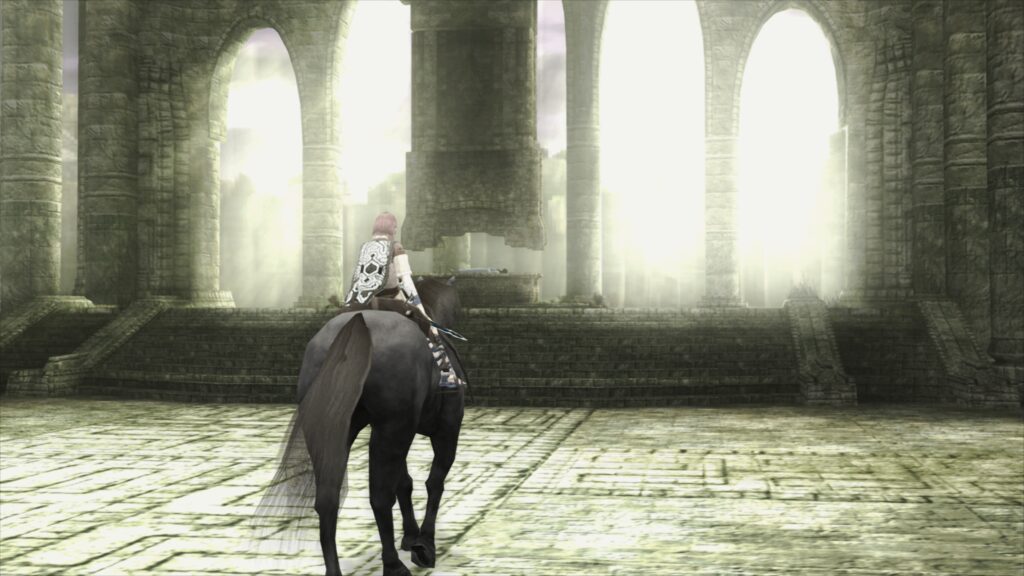
- 16x Supersample Anti-Aliasing (SSAA): Completely eradicates shimmering, aliasing, and crawling edges on 3D geometry and texture maps.
- High-Resolution Scanout: Doubles the native display output resolution prior to filtering, producing an image quality that frequently surpasses GSdx running at much higher internal multipliers, while maintaining pixel-accurate blending and shadow rendering.
+------------------------+-----------------------------------+-----------------------------------+
| Feature / Metric       | GSdx Renderer                     | paraLLEl-GS Compute Renderer      |
+------------------------+-----------------------------------+-----------------------------------+
| Primary API            | Vulkan, D3D11/12, OpenGL          | Vulkan (Exclusively)              |
| Anti-Aliasing          | Post-processing / MSAA            | True 16x SSAA                     |
| Game-Specific Hacks    | Frequently Required               | Minimal / None Required           |
| Hardware Requirement   | Scalable (Low-to-High End GPUs)   | High-Performance Dedicated GPUs   |
| Accuracy Baseline      | High (with heuristic patches)     | Near-Software Level (Compute)     |
+------------------------+-----------------------------------+-----------------------------------+
Official Statements and Developer Insights
The release of LRPS2 and the integration of paraLLEl-GS represent the culmination of years of collaborative open-source engineering. In companion publications released alongside the core launch, the Libretro maintainers and independent contributor Themaister emphasized the philosophical shift behind compute-based emulation.
"PlayStation 2 GS emulation has long been considered the final frontier of Vulkan compute emulation," notes Themaister in foundational technical literature. "By shifting the entire state machine of the Graphics Synthesizer into a unified compute environment, we eliminate the endless game-of-whack-a-mole associated with traditional hardware renderers. Accuracy is no longer achieved by writing bespoke patches for every individual commercial title released for the platform; it is achieved by respecting the mathematical and structural reality of the original silicon."
The Libretro team echoes this sentiment, framing LRPS2 not merely as an update, but as a long-overdue reconciliation between standalone optimization pipelines and the modular philosophy of the Libretro API. By bundling the GameIndex.yaml configuration framework directly into the core system files download, the developers have ensured that out-of-the-box compatibility is higher than any previous Libretro-based PS2 iteration, streamlining the user experience from setup to gameplay.
Troubleshooting, Frequently Asked Questions (FAQ), and Edge Cases
Even with modern engineering, cutting-edge emulation encounters hardware quirks and edge cases. Below is an authoritative breakdown of common troubleshooting scenarios encountered by early adopters:
Q: I hear audio, but my screen remains completely black. What is happening?
A: This is frequently tied to the video driver initialization on Windows systems. If you are using the default d3d11 video driver, certain graphics card drivers fail to pass the frame buffer correctly to the core. Switch your global or core-specific video driver in RetroArch to d3d12, restart the application, and reload the content.
Q: Why is paraLLEl-GS running extremely slowly on my laptop?
A: paraLLEl-GS relies heavily on compute shader execution units within your GPU. Intel Integrated Graphics Processors (IGPs)—even on relatively recent generations—lack the compute throughput required to run compute-heavy shaders at full speed. Users with integrated graphics are strongly advised to fall back to the software renderer or the standard GSdx hardware renderer. (Note: Intel’s newer discrete Arc GPU series handles the workload without issue).
Q: The software renderer crashes instantly when paired with the Vulkan video driver on Linux. Is there a fix?
A: This is a documented interaction bug between specific Linux display drivers and Vulkan software fallback layers. Until a permanent upstream patch is deployed, users must switch their RetroArch video driver to glcore on Linux systems to run the software renderer reliably.
Q: How can I audit which internal game patches or enhancements are being applied to my ROMs?
A: LRPS2 applies a suite of backend improvements—including language unlocks, de-interlacing patches, and widescreen hacks—via its internal database. Because there is currently no graphical on-screen indicator in the quick menu, users must enable Logging within RetroArch settings and inspect the terminal output log to verify which initialization hints and YAML patches were successfully injected during boot.
Q: How do I achieve optimal frame pacing and eliminate stuttering?
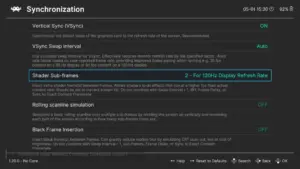
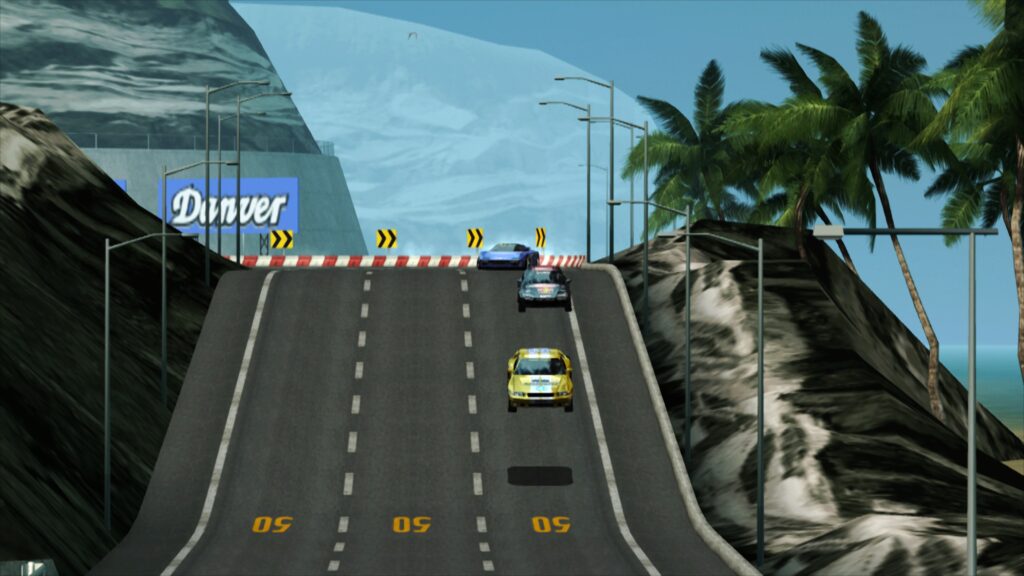
A: Navigate to Settings -> Video -> Synchronization and enable Sync to Exact Content Framerate. For users operating Variable Refresh Rate (VRR) displays (FreeSync/G-Sync), disabling VSync within RetroArch while forcing VSync to "On" in external control panels (such as the NVIDIA Control Panel) yields the smoothest motion. Caution: Titles utilizing unusual locked framerates (such as Fighting Vipers or Sega Rally 1995) may exhibit synchronization anomalies; users should test individual settings on a case-by-case basis.
Future Outlook
The launch of LRPS2 and the maturity of the paraLLEl-GS renderer mark the beginning of a new era for retro-gaming preservation. As compute-shader architectures become ubiquitous across desktop, console, and high-end mobile silicon, the reliance on fragile hardware hacks is steadily declining.
Future development roadmaps for the Libretro PlayStation 2 ecosystem point toward several key milestones:
- Expanded Platform Portability: As Vulkan compute standards solidify across mobile and alternative architectures, future optimization passes may eventually bring scaled-down variants of compute rendering to high-end mobile devices.
- Refined Analog Input Mapping: Ongoing work seeks to natively map the PlayStation 2’s pressure-sensitive analog face buttons to modern controllers, resolving minor input discrepancies in niche titles that historically relied on variable actuation depth.
- Automated Database Expansion: The internal
GameIndex.yamlrepository continues to scale through community contributions, promising automated, zero-configuration enhancements for hundreds of overlooked catalog titles.
For enthusiasts, preservationists, and casual players alike, LRPS2 transforms RetroArch into a premier destination for experiencing the PlayStation 2 library. By marrying the timeless software architecture of PCSX2 with the cutting-edge compute prowess of Vulkan and paraLLEl-GS, the golden era of 128-bit gaming has never looked sharper, played smoother, or felt more accessible.