The Evolution of Console Emulation: An Investigative Report on LRPS2, ParaLLEl-GS, and the Future of PlayStation 2 Preservation
Executive Overview
The landscape of video game emulation has reached a monumental milestone with the introduction of LRPS2, a heavily modified, modernized PlayStation 2 core custom-engineered specifically for the Libretro API. Derived from the legendary codebase of PCSX2, LRPS2 represents a paradigm shift in how developers approach legacy hardware architecture, rendering pipelines, and cross-platform compatibility. Available now for Windows, Linux (x86_64), and macOS, this newly minted core effectively replaces antiquated predecessors, shedding legacy technical debt to deliver a modern, streamlined, and exceptionally accurate emulation experience.
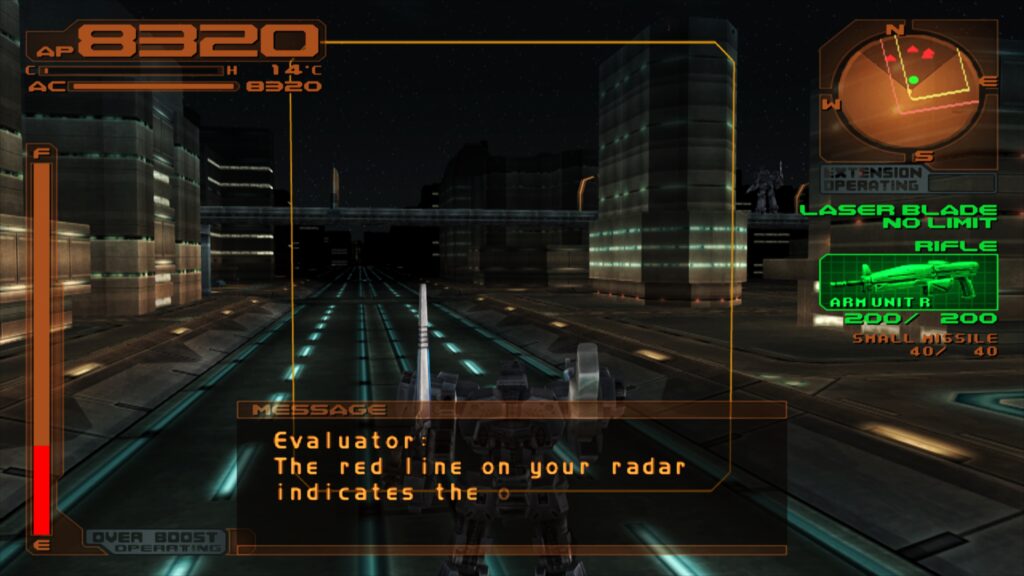
At the heart of this release is paraLLEl-GS, a groundbreaking graphics renderer crafted entirely as a compute program utilizing the Vulkan graphics API. Conceived by master developer Themaister—the visionary behind the acclaimed paraLLEl-RDP project—this compute-based renderer aims for software-level accuracy while unlocking modern graphical enhancements. Most notably, the integration of 16x Supersample Anti-Aliasing (SSAA) alongside high-resolution scanout virtually eliminates texture shimmering and geometric jaggies, often surpassing the visual fidelity of traditional upscaling methods without requiring tedious, game-specific hardware hacks.
As the emulation community grapples with the preservation challenges of the sixth console generation, LRPS2 emerges as a vital tool. This comprehensive report examines the technical architecture of LRPS2, the revolutionary mechanics of paraLLEl-GS, setup procedures across supported operating systems, known hardware limitations, and the broader implications of this release for the future of digital preservation.
Detailed Chronology: From Legacy PCSX2 to the Libretro Integration
The journey toward modernizing PlayStation 2 emulation within the Libretro ecosystem has been long and arduous. For years, older Libretro PS2 cores struggled with architectural limitations, outdated codebases, and performance bottlenecks that alienated users seeking a seamless, integrated experience within RetroArch. While standalone applications like PCSX2 continued to make staggering strides—transitioning to Qt interfaces and heavily refining their GSdx renderers—bringing that level of sophistication into the Libretro API proved to be a formidable engineering challenge.
The turning point arrived with a concerted effort to adapt the modern PCSX2 codebase directly for Libretro architecture. This resulted in LRPS2: a complete rewrite of the integration layer that leverages up-to-date core code, bypassing the severe drawbacks and instability of older iterations.
Simultaneously, the development of compute-based graphics emulation reached a fever pitch. Following the success of Vulkan compute shaders in Nintendo 64 emulation (via paraLLEl-RDP), Themaister turned his attention to the "final frontier" of compute emulation: the PlayStation 2 Graphics Synthesizer (GS). Documented thoroughly in mid-2024, the conceptualization of paraLLEl-GS shifted the paradigm away from traditional rasterization pipelines. By implementing the GS entirely through Vulkan compute shaders, developers unlocked unprecedented control over how pixel data, texture caches, and frame buffers are processed.
The convergence of the modernized LRPS2 core and the paraLLEl-GS compute renderer culminated in the public release detailed here. This release not only provides a robust, standardized environment for modern PCs and macOS systems but also establishes a new benchmark for how complex, non-linear hardware architectures can be accurately emulated on modern parallel processing units.
Supporting Context & Technical Architecture: Under the Hood of LRPS2
To truly appreciate the engineering feat that is LRPS2, one must understand the sheer complexity of the PlayStation 2 hardware. Powered by the "Emotion Engine" CPU and the unique Graphics Synthesizer, the PS2 notoriously relied on embedded DRAM (eDRAM) and complex vector units that have historically resisted clean, performant emulation.
Rendering Backends and Flexibility
LRPS2 inherits and modernizes nearly all the rendering backends traditionally associated with the GSdx renderer, ensuring broad hardware compatibility across diverse PC ecosystems:
- Vulkan: Fully supported across Windows, Linux, and macOS (via translation layers where applicable), offering low-overhead, high-performance execution.
- Direct3D 11 and 12: Tailor-made for Windows environments, providing robust alternative pipelines, though users must occasionally navigate driver-specific quirks (such as preferring D3D12 over D3D11 to bypass initialization black screens).
- OpenGL: Maintained for Windows and Linux legacy or alternative setups, though modern Vulkan implementations are heavily favored for compute-heavy workloads.
The ParaLLEl-GS Revolution
By far, the crown jewel of the LRPS2 ecosystem is paraLLEl-GS. Traditional hardware renderers attempt to translate legacy drawing commands into modern graphics APIs via rasterization, which frequently breaks down under the weight of the PS2’s unconventional rendering tricks. This necessitated thousands of game-specific hacks within databases like the GameIndex.yaml file.
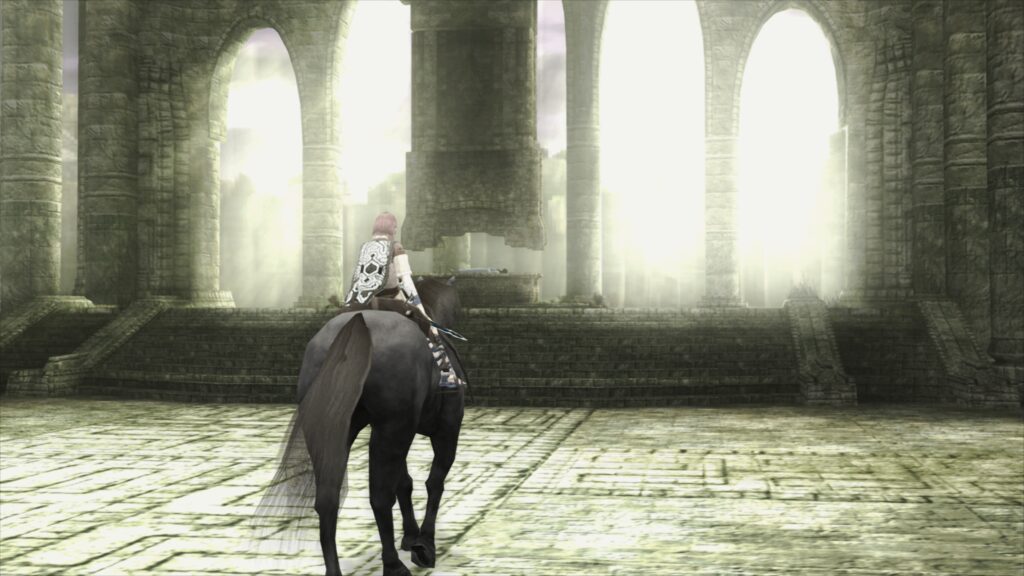
ParaLLEl-GS approaches the problem differently. Written exclusively for the Vulkan graphics API as a pure compute program, it models the hardware’s internal operations at a fundamental level. Its standout feature—16x SSAA combined with experimental high-resolution scanout—tackles the inherent low-resolution output of native PS2 hardware without introducing the scaling artifacts, texture tearing, or depth-sorting errors common in standard high-res upscaling.
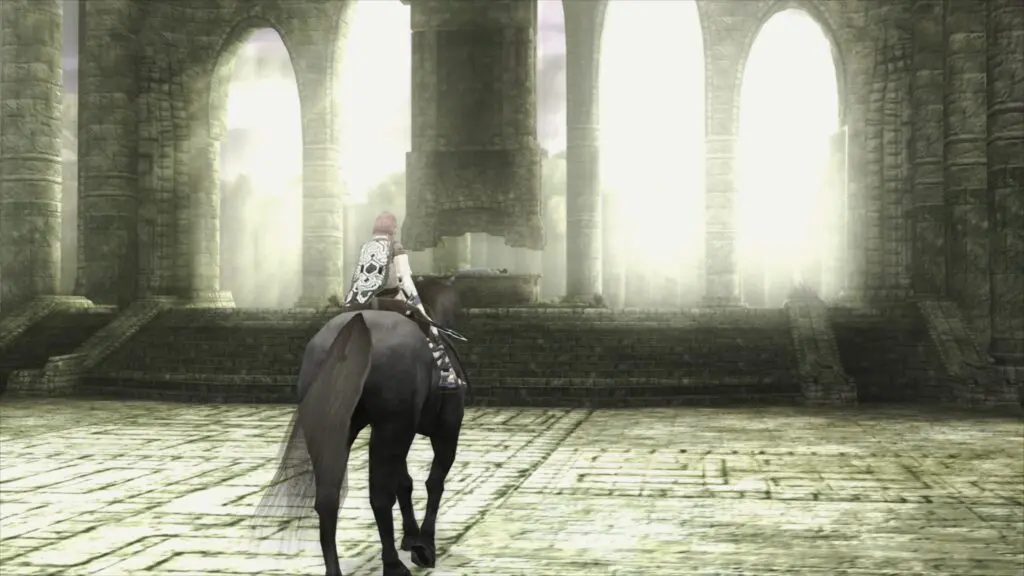
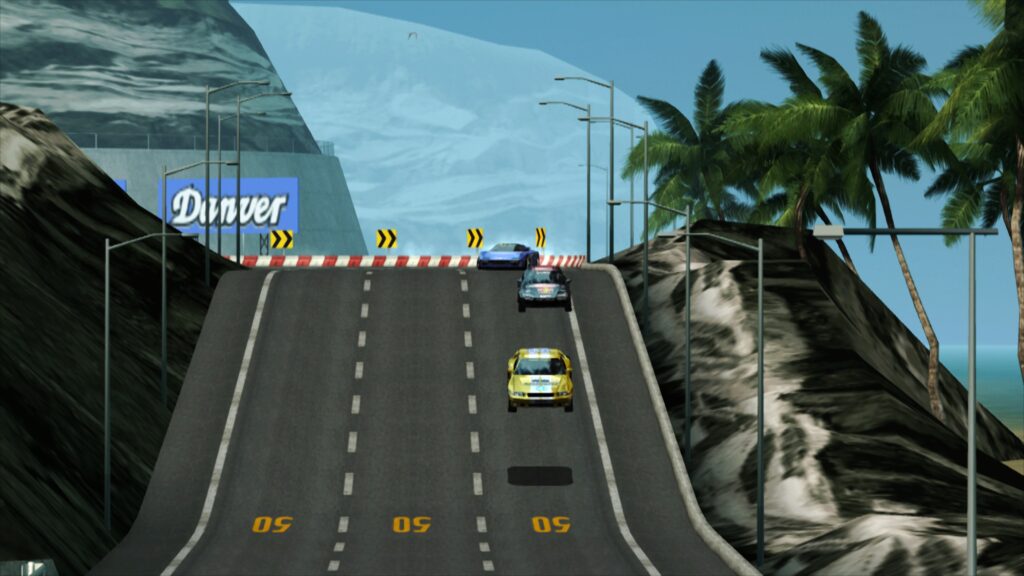
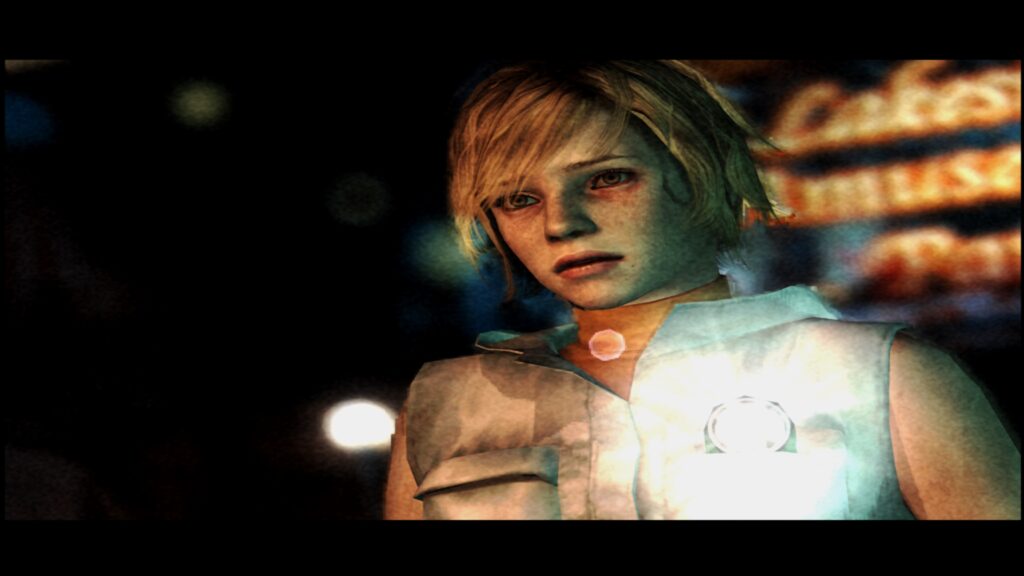
By doubling the resolution natively through scanout and applying massive supersampling, titles like Shadow of the Colossus, Silent Hill 3, Gran Turismo 4, and Tekken 5 render with an unprecedented level of clarity, capturing the original artistic intent while purging modern displays of distracting visual noise.
Setup, Installation, and Platform-Specific Workflows
Deploying LRPS2 within RetroArch requires a deliberate, multi-step configuration process. Because the core relies heavily on external system files, BIOS ROMs, and compatibility indices, following a precise installation workflow is critical.
General Installation Guide (Windows and Linux x86_64)
- Update Core Info Files: Launch RetroArch, navigate to the Online Updater, and select “Update Core Info Files.” This ensures that the menu correctly recognizes the core under its official designation.
- Download the Core: In the Online Updater, select “Core Downloader,” scroll down to “Sony – Playstation 2 (LRPS2),” and download the binary.
- Acquire System Files: Access the “Core System Files Downloader” within the Online Updater and download the
LRPS2.zipbundle. This action automatically generates apcsx2folder inside your RetroArchsystemdirectory.- The bundle populates the directory with
GameIndex.yaml, containing essential per-game hacks and GSdx configuration profiles. - Users must manually create a
biosfolder within this directory and supply their legally dumped PS2 BIOS files.
- The bundle populates the directory with
- Content Loading: Games can be loaded in various uncompressed or containerized formats (such as
.chd). Note that compressed archives like.zip,.rar, or.7zare not supported and must be extracted prior to loading.
Special Configuration for macOS (Apple Silicon)
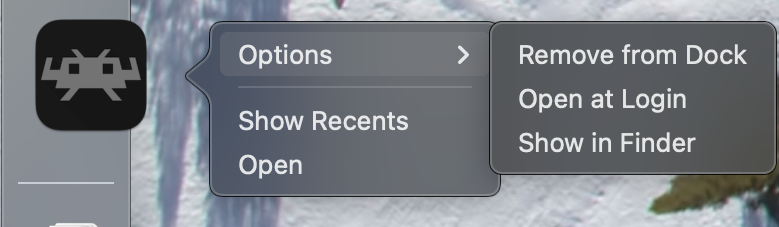
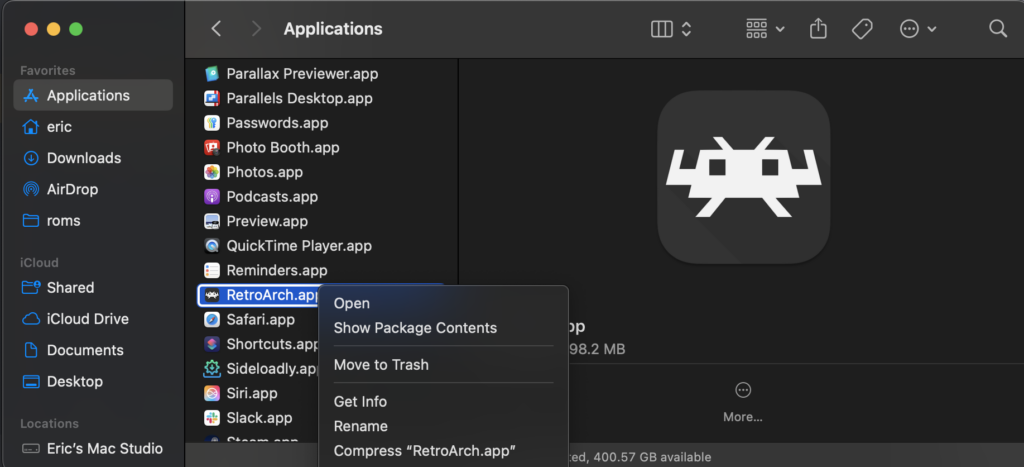
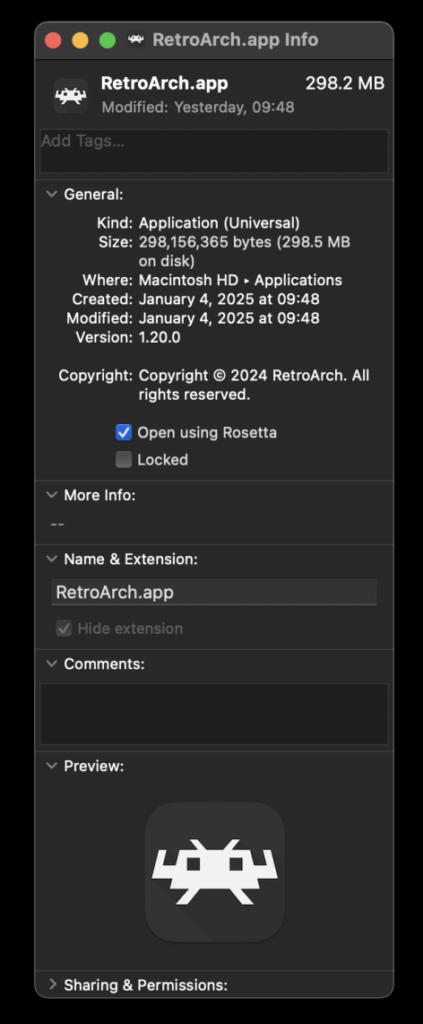
Due to architectural requirements of the current build pipeline, running LRPS2 on Apple Silicon-based Macs requires execution via Apple’s Rosetta 2 translation environment. Users must perform the following operational adjustments:
- Exit RetroArch completely.
- Locate the RetroArch application in Finder, right-click, and select “Get Info.”
- Check the box labeled “Open using Rosetta.”
- Relaunch RetroArch; the LRPS2 core will now successfully appear within the Core Downloader and function properly on Apple M-series hardware.
Troubleshooting, Core Options, and Hardware Limitations
While LRPS2 represents the cutting edge of emulation, its advanced requirements mean that hardware bottlenecks and software quirks will occasionally surface. The development team has documented several common hurdles and their corresponding workarounds:
- The Black Screen Dilemma (Windows): Users utilizing the default D3D11 video driver on Windows may occasionally encounter a black screen accompanied by functional audio. The immediate remedy is switching the global or core-specific video driver to D3D12.
- Intel Integrated Graphics Performance: ParaLLEl-GS is extremely demanding on compute shader performance. Integrated graphics solutions from Intel (even relatively recent generations) generally lack the parallel execution units required to maintain full speed with compute-heavy renderers. Users on Intel IGPs are strongly advised to utilize the standard software renderer or traditional GSdx backends, whereas Intel’s discrete GPU offerings handle the workload capably.
- Vulkan and Software Renderer Crashes on Linux: A known issue causes the software renderer to crash when paired with the Vulkan video driver on Linux distributions. Until a patch is deployed, users must switch to the
glcoredriver on Linux or appropriate D3D drivers on Windows. - Frame Pacing and Synchronization: To achieve optimal motion smoothness, users can experiment with the “Sync to Exact Content Framerate” setting (
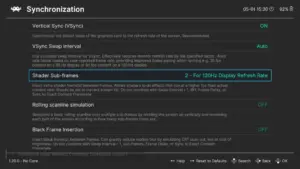
Settings -> Video -> Synchronization). For Variable Refresh Rate (VRR) displays, disabling VSync in RetroArch while forcing it via an external GPU control panel (such as NVIDIA Control Panel) often yields superior results, though titles with rigid timing structures (e.g., Fighting Vipers) may require default settings.
Future Outlook and Community Implications
The rollout of LRPS2 and paraLLEl-GS marks a definitive turning point for the RetroArch ecosystem. By bridging the gap between standalone emulation power and frontend convenience, the project demonstrates that complex sixth-generation consoles can be integrated smoothly into multi-system libraries without sacrificing rendering accuracy or configurability.
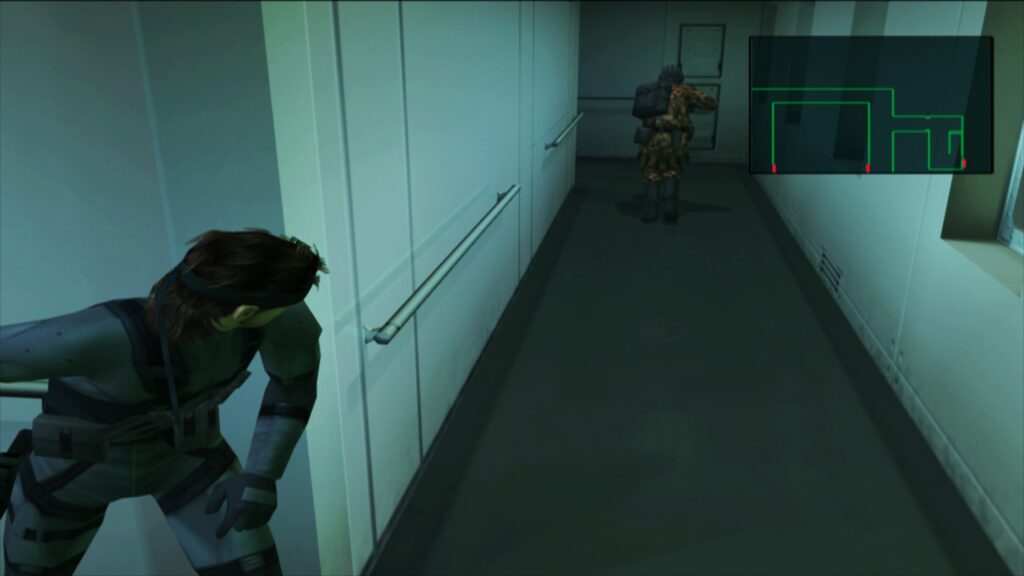
Looking ahead, the development roadmap includes resolving minor input hurdles—such as full support for analog face buttons across niche titles—and expanding the internal GameIndex.yaml database. As the community contributes logs and bug reports, automated per-game enhancements (such as widescreen hacks, language unlocks, and interlacing filters) will become increasingly robust.
For retro gaming enthusiasts, digital archivists, and developers alike, LRPS2 is more than just a software update; it is a masterclass in modern emulation engineering. By reimagining graphics pipelines through Vulkan compute shaders and refining legacy architectures for the Libretro API, the preservation of the PlayStation 2 library has entered a brilliant new era.