Revolutionary Motion Clarity: RetroArch Introduces the BlurBusters CRT Beam Simulator Shader
Executive Overview
The emulation community and display technology enthusiasts have long chased the elusive holy grail of motion clarity: reproducing the crisp, crisp-in-motion responsiveness of legacy cathode-ray tube (CRT) displays on modern sample-and-hold flat-panel displays. Traditional software solutions, such as conventional Black-Frame Insertion (BFI), have traditionally introduced unwanted side effects like severe luminance drops, visible flicker, and timing artifacts.
Today, that paradigm shifts dramatically. The Libretro team has officially announced the release of a groundbreaking new shader for RetroArch: the CRT Beam Simulator. Developed collaboratively by Mark Rejhon—founder of the industry-renowned display authority BlurBusters—and Timothy Lottes, the legendary creator of the original FXAA (Fast Approximate Anti-Aliasing) shader and the acclaimed crt-lottes filters, this new tool changes how retro content is rendered on high-refresh-rate hardware.
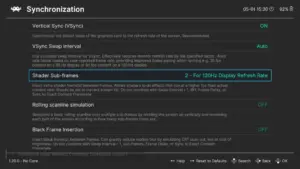
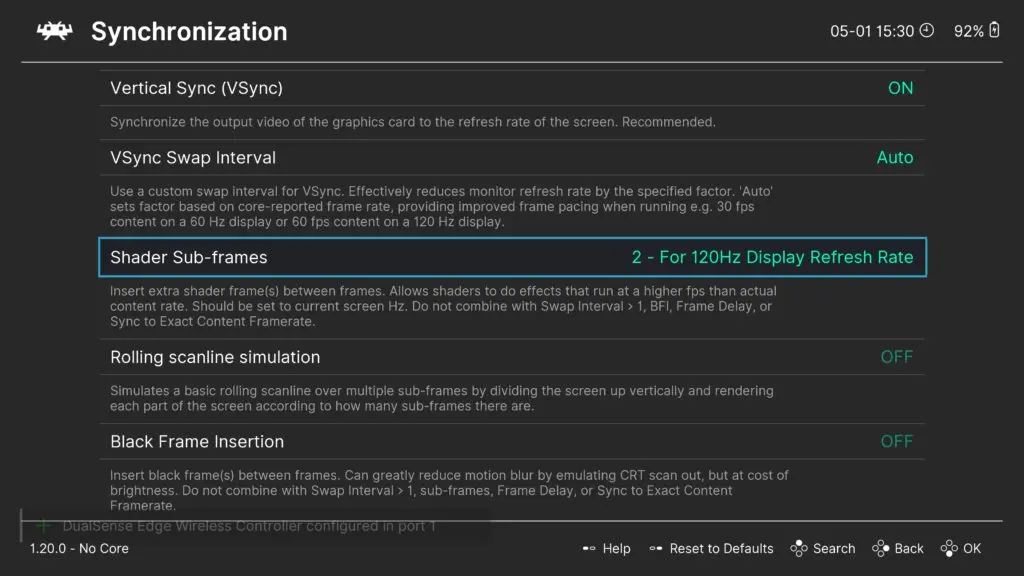
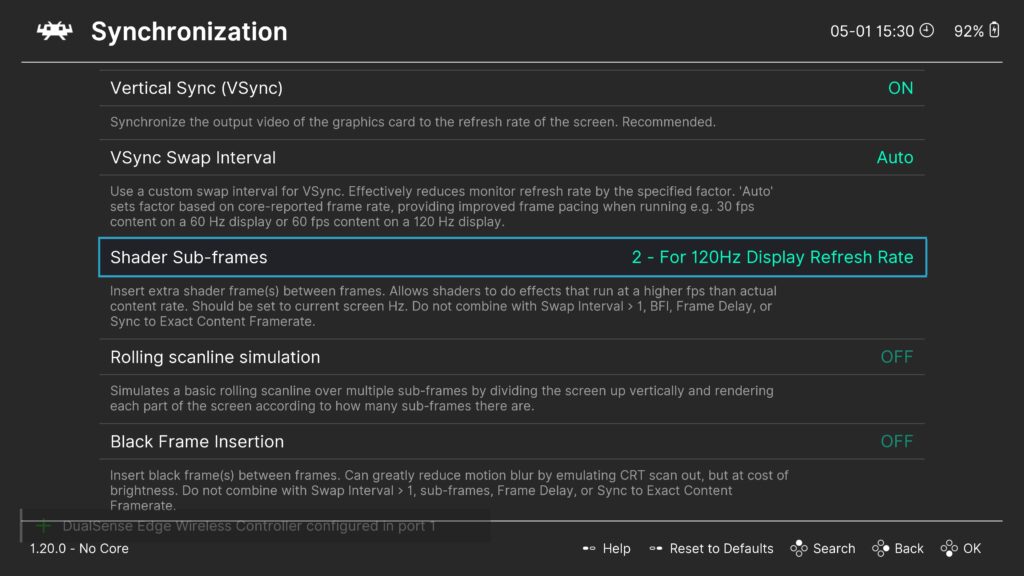
Powered by RetroArch’s newly introduced Shader Sub-frames capability, this shader operates at multiples of standard content framerates, executing sub-frame rendering cycles to simulate a physical CRT raster scanline sweep. By doing so, it delivers exceptional motion clarity on modern 120Hz, 240Hz, and ultra-high-refresh-rate displays while mitigating the classic drawbacks of legacy BFI techniques.
This comprehensive report explores the mechanics of the new shader, its prerequisites, tuning strategies for various display topologies, and what this technological leap means for the future of digital preservation and retro gaming.
Detailed Chronology and Technical Genesis
The development of the CRT Beam Simulator shader did not happen overnight; it represents the convergence of years of display science research, low-latency framebuffer engineering, and community-driven shader programming.
The Problem with Sample-and-Hold Displays
To understand the significance of this release, one must examine the fundamental operational difference between legacy CRT monitors and modern LCD/OLED panels.
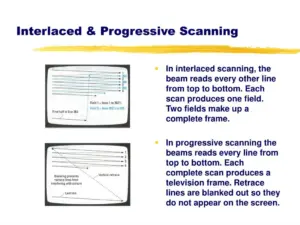
- CRTs (Impulse-type displays): Pixels are illuminated momentarily as an electron beam sweeps across the phosphor surface line by line. The phosphor decays almost instantaneously. Because the human eye tracks motion smoothly across a screen, the brief flash of light prevents the motion blur caused by the eye’s continuous tracking over a persistently lit image.
- Modern Flat-Panels (Sample-and-hold displays): Pixels hold their color value continuously until the next frame is rendered. When our eyes track a moving object across a sample-and-hold display, the brain smears the continuous image across the retina, creating motion blur even if the source material has a flawless, razor-sharp native resolution.
Enter Black-Frame Insertion (BFI) and Its Limitations
To combat sample-and-hold blur, display manufacturers and emulation developers turned to Black-Frame Insertion. By flashing a black frame in between every rendered content frame, BFI tricks the eye into perceiving an impulse-like display behavior.
However, standard BFI implementations carry heavy penalties:
- Massive Brightness Loss: Inserting black frames halves (or quarters) the total light output, making the image frustratingly dim.
- Strobe Crosstalk and Flicker: Inability to sync cleanly with panel response times often results in ghosting lines or eye-fatiguing flicker.
The Sub-Frame Breakthrough
Recognizing these limitations, Mark Rejhon (BlurBusters) and Timothy Lottes conceptualized a mathematically rigorous method to simulate a physical CRT scanning beam inside a shader pipeline. The initial concept was prototyped on Shadertoy, allowing developers to test real-time beam positioning equations.
However, for this simulation to function inside an emulator like RetroArch, the underlying engine required a critical architectural update: Shader Sub-frames. Released officially in RetroArch 1.20.0, this feature enables shaders to execute multiple times per single content frame. Instead of alternating entire frames between image and black, the engine updates pixel data at sub-frame intervals, allowing a simulated electron beam raster line to sweep dynamically down the screen at fractions of a frame time.
Supporting Context, System Requirements, and Installation
Deploying the CRT Beam Simulator requires careful attention to software versions, display hardware capabilities, and configuration parameters.
Prerequisites
- RetroArch Version: You must use RetroArch 1.20.0 or a later nightly build. Previous iterations lack the underlying Shader Sub-frames pipeline architecture and will fail to run the shader correctly.
- Display Hardware: A high-refresh-rate monitor is mandatory. To reap the benefits of sub-frame beam simulation, your display should comfortably support 120 Hz, 240 Hz, or higher.
- Reference Implementation: The original mathematical proof-of-concept can be examined on Shadertoy via the official public view.
Step-by-Step Implementation Guide for High-Refresh-Rate Monitors
To integrate and run the CRT Beam Simulator within your RetroArch setup, follow these administrative and configuration steps:
- Update RetroArch: Ensure your installation is updated to version 1.20.0 or higher.
- Load Content: Launch your preferred retro core and game content (e.g., classic 16-bit or arcade titles targeting 60 fps).
- Access the Shader Menu: Open the RetroArch Quick Menu, navigate to Shaders, and select Shader Parameters (or load a preset).
- Select Pre-Made Presets: Navigate to the pre-configured slang preset directory:
shaders_slang/presets/crt-beam-simulator - Chain with CRT Shaders: If you wish to combine the motion-clearing properties of the beam simulator with aesthetic CRT scanline filters, you can safely prepend the beam simulator shader preset to your existing favorite CRT shader chain without breaking the rendering pipeline.
Tuning, Calibration, and Advanced Display Parameters
Because display technologies vary widely—ranging from high-end OLED panels to fast-switching IPS LCDs—the CRT Beam Simulator includes robust runtime parameters designed for fine calibration.
Gamma and Brightness-Clarity Trade-offs
When simulating a scanning beam, balancing overall image luminance with motion resolution is critical. The shader exposes real-time runtime parameters allowing users to calibrate gamma values to achieve a neutral image output, effectively neutralizing unwanted dark horizontal banding.
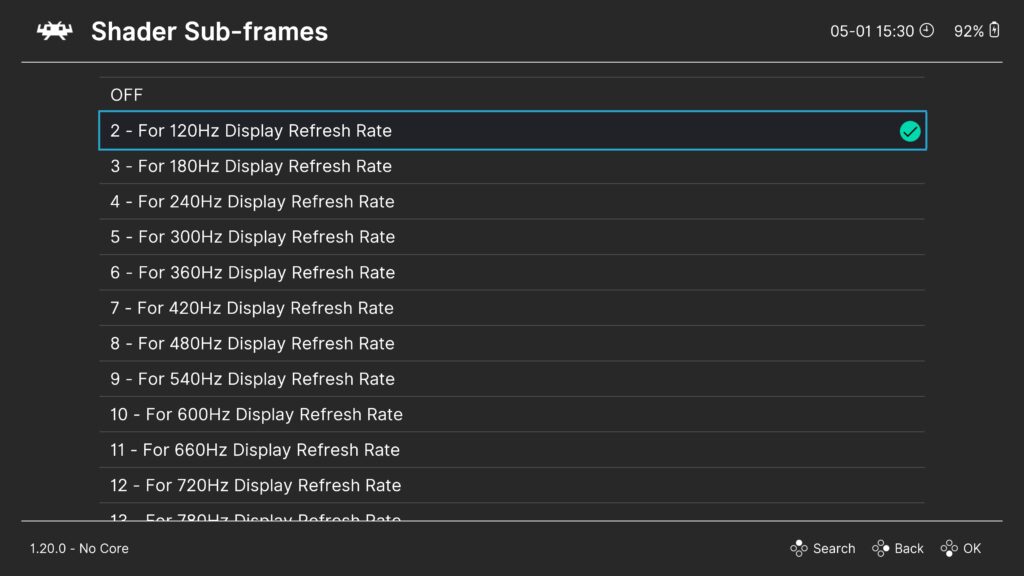
- 120 Hz Displays (2 Subframes): A parameter value of approximately ~0.5 yields optimal balance.
- 240 Hz Displays (4 Subframes): A parameter value of approximately ~0.7 provides the ideal balance between brightness retention and crisp motion delineation.
Advantages Over Conventional BFI
The architectural superiority of the BlurBusters CRT Beam Simulator over legacy BFI implementations includes:
- Granular Luminance Control: By modulating sub-frame intensity rather than dumping entire frames to absolute black, peak brightness retention is significantly improved.
- Elimination of Strobe Artifacts: The continuous raster sweep mimics natural phosphor persistence rather than jarring global backlight strobing.
- Seamless Integration: It operates entirely within the slang shader pipeline, allowing it to merge effortlessly with color correction, scaling algorithms, and geometry shaders.
Special Considerations for OLED and Odd-Hz Panels
Not all modern flat panels behave identically regarding image persistence and voltage polarization:
- OLED Panels: OLED displays are fundamentally immune to image persistence issues caused by voltage accumulation from traditional on/off flickering.
- Odd Integer Multiples (e.g., 180 Hz): If you are running displays at non-standard refresh rates that do not cleanly divide the content framerate, a simulated raster line might visibly "roll" up or down the screen. To resolve this, the developers have included a runtime parameter to disable the cycle timing offset.
- Raster Line Positioning: An additional parameter allows users to manually shift the vertical position of the simulated raster line, ensuring it can be tucked away or optimized for unusual aspect ratios and custom display geometries.
Official Statements and Community Resources
The release has sent ripples through the emulation and display hardware communities, drawing praise from hardware analysts and developers alike.
In documentation accompanying the release, Mark Rejhon emphasized that the shader is designed to bridge the gap between vintage analog display characteristics and the rigid geometry of digital panels without forcing users to sacrifice visual fidelity. Meanwhile, hardware review channels have highlighted the shader’s transformative impact on fast-moving 2D sprites, noting that scrolling artifacts in classic scrolling platformers are virtually eradicated.
For users encountering configuration hurdles or edge-case rendering bugs, structured support channels have been established:
- Official Troubleshooting & FAQ: Maintained directly by Mark Rejhon on the official GitHub repository (
blurbusters/crt-beam-simulator/issues/4). - Community Support: Active discussion threads are open across the official Libretro Forums, the Libretro Subreddit, and the project’s Discord server.
- Video Demonstrations: Detailed visual walkthroughs and technical analyses are available via display technology channels on YouTube, showcasing side-by-side comparisons of native content, traditional BFI, and the new CRT Beam Simulator slang shader.
Future Outlook
The introduction of the CRT Beam Simulator in RetroArch 1.20.0 marks a watershed moment for software-based display emulation. By shifting away from crude, destructive frame-blanking techniques toward mathematically precise sub-frame beam simulations, the emulation community has solved one of its most persistent historical bottlenecks.
As high-refresh-rate displays become ubiquitous—with 240Hz, 360Hz, and even 500Hz monitors entering the mainstream consumer market—the headroom for sub-frame shader calculations will only expand. We can anticipate future iterations of this technology to introduce even finer sub-frame subdivisions, deeper phosphor decay models, and tighter synchronization with variable refresh rate (VRR) technologies like G-Sync and FreeSync.
For retro gaming enthusiasts, digital archivists, and purists demanding uncompromising visual fidelity, the future of motion clarity has finally arrived.